There is no new federal rule in 2026 that turns a nonprofit annual report slide deck into a tax filing. As of September 13, 2026, the IRS page for Form 990 lists no recent developments, and the agency continues to treat Form 990-series filings as the formal annual information-return system for most tax-exempt organizations. A PowerPoint annual report is different: it is a communications document for donors, board members, volunteers, partners, staff, and the public.
That distinction matters when you search for a “nonprofit annual report PowerPoint template free download.” A good free template should help you tell the organization’s story, but it should not pretend to replace Form 990, audited financial statements, state charity filings, or other required records. The best workflow is to use a free presentation template as the visual framework, then fill it with verified program, finance, governance, and impact information from your own records.
Microsoft currently states that PowerPoint users can choose from thousands of free templates and customize them. I could not verify an official Microsoft file with the exact title “Nonprofit Annual Report PowerPoint Template,” so this article does not invent a download link. Instead, use Microsoft’s free presentation templates as a starting point, then customize the slide structure below.
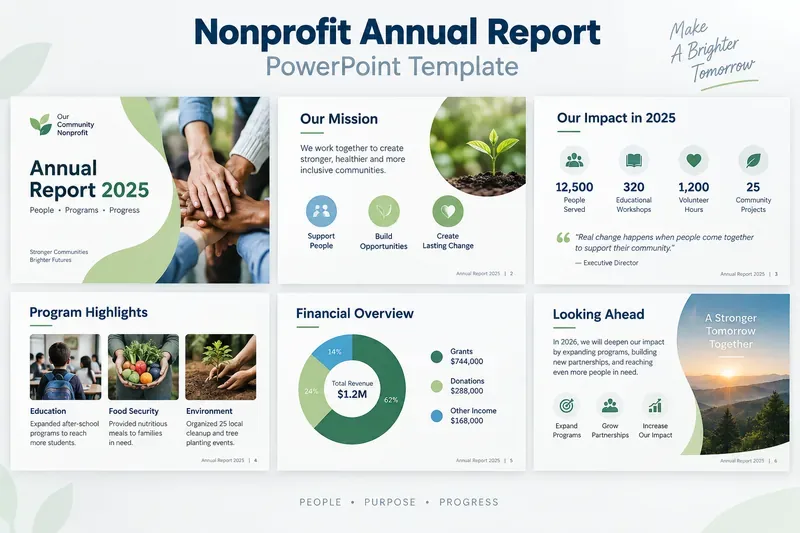
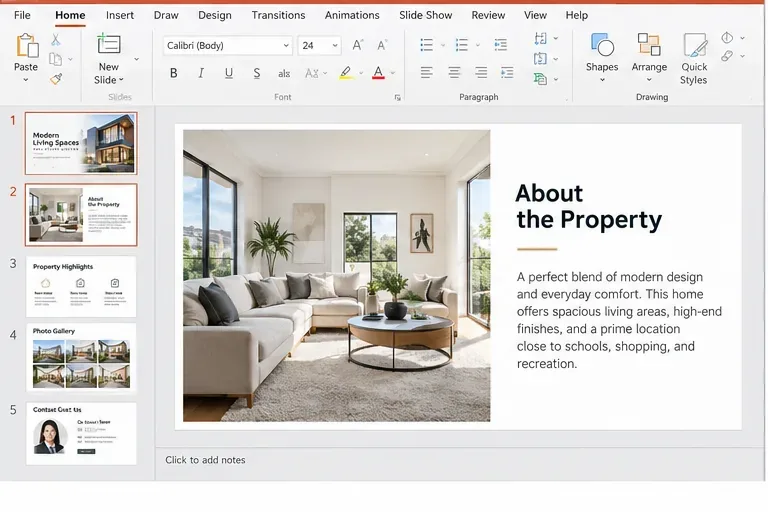
An example annual report deck can combine mission, impact, programs, finances, and next-year goals in a consistent visual system. The sample numbers and program details shown here are placeholders and should be replaced with verified organizational data.
What should a nonprofit annual report PowerPoint include?
For most small and midsize nonprofits, 8 to 12 slides are enough for a concise annual report presentation. A longer deck can work for a board meeting or funder briefing, but a public-facing annual report is easier to read when each slide has one clear purpose.
Slide
Recommended content
What the audience should learn
1. Cover
Organization name, report year, mission-oriented image, short theme
What the report is and which year it covers
2. Mission and leadership message
Mission statement plus a brief note from the executive director or board chair
Why the organization exists and what shaped the year
3. Year at a glance
Three to five verified impact metrics
The scale of the organization’s work
4–6. Program highlights
Major programs, outcomes, photos, short stories, geographic reach
How programs translated resources into results
7. Financial overview
Revenue, expenses, program spending, major funding categories
How resources were raised and used
8. People and partnerships
Volunteers, staff, board, community partners, supporters
Who made the work possible
9. Lessons and challenges
What changed, what did not work, what was learned
How the organization is improving
10. Looking ahead
Next-year priorities, goals, invitation to participate
What comes next and how supporters can help
Is the annual report the same as Form 990?
No. The IRS describes Form 990 as an information return used by tax-exempt organizations to provide information required under federal tax law. It also notes that organizations use Form 990 to share information with the public about programs. A nonprofit’s designed annual report can draw from the same verified financial and program records, but it is not the filing itself.
The IRS currently lists general filing thresholds as follows: organizations with gross receipts normally at or below $50,000 may generally be eligible for Form 990-N; organizations below $200,000 in gross receipts and below $500,000 in total assets may generally file Form 990-EZ or Form 990; organizations at or above those thresholds generally file Form 990. Private foundations use Form 990-PF. Exceptions and special rules apply.
Practical rule: use the annual report to explain the year clearly; use the required IRS and state filings to satisfy legal reporting obligations.
Where can you get a free PowerPoint template?
Microsoft’s current PowerPoint support documentation says users can choose from thousands of free templates and can create reusable custom PowerPoint templates. If you find a free Microsoft presentation design that fits your nonprofit’s tone, you can replace the sample content with your own annual report structure.
Good starting styles include:
Clean business report templates for finance-heavy organizations.
Photo-led presentation templates for humanitarian, education, environmental, or community nonprofits.
Minimal presentation templates when the report will be printed or exported to PDF.
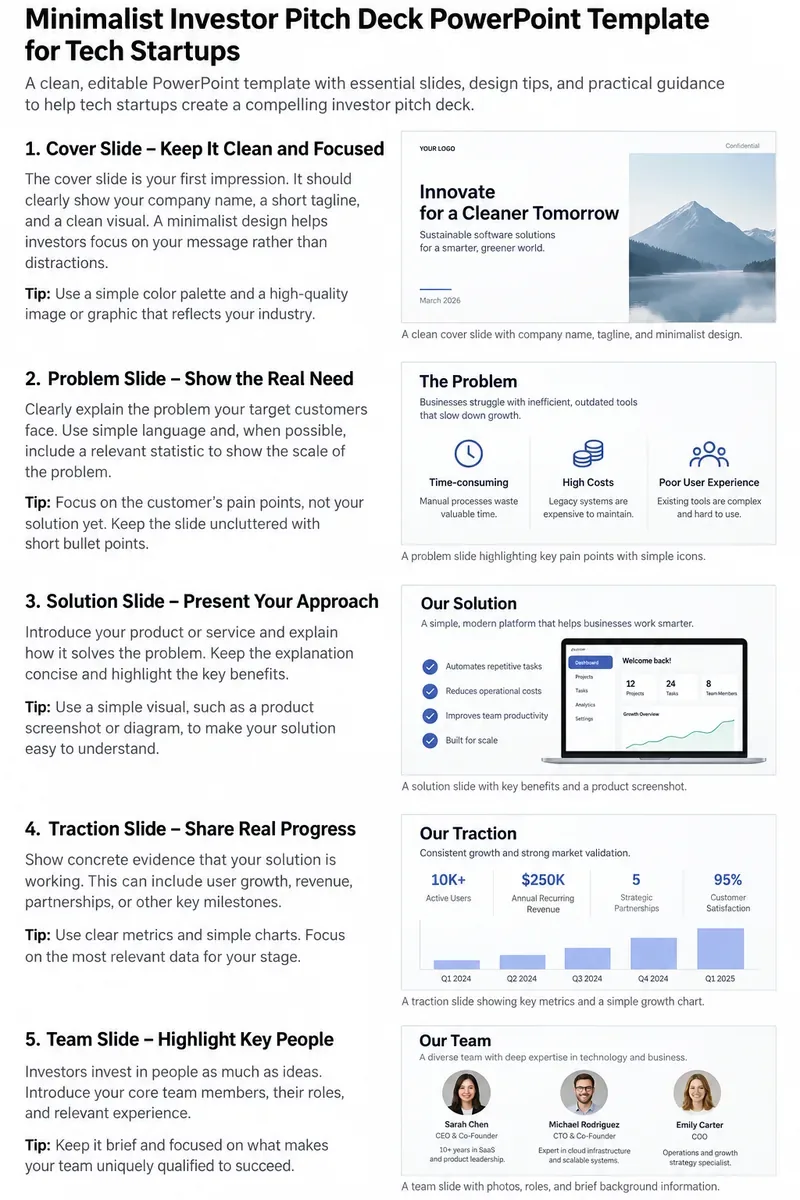
Pitch-deck-style templates when the annual report doubles as a donor or sponsor presentation.
Microsoft explains the difference between a theme and a template: a theme controls coordinated colors, fonts, and effects, while a template also contains layouts and sample content for a specific purpose. See Microsoft Support: PowerPoint templates versus themes.
How do you turn a free presentation into a reusable nonprofit template?
Once the annual report deck has the right layouts, save a clean master copy for next year. Microsoft documents that desktop PowerPoint can save a presentation as a PowerPoint Template (.potx) file. The process uses Slide Master and custom layouts so logos, colors, footer elements, placeholders, and recurring slide structures stay consistent.
A practical setup is to build these reusable layouts:
Choose metrics that explain actual program activity or outcomes, not numbers that are merely easy to count. A youth nonprofit might report students completing a program, attendance retention, credentials earned, or graduation support. A food-access organization might report households served, meals distributed, delivery coverage, or repeat participation. An environmental nonprofit might report acres restored, trees surviving after one year, water samples collected, or volunteers trained.
For each metric, keep three questions in mind:
What exactly does the number measure?
What time period does it cover?
Can someone trace it back to a source record?
Avoid mixing cumulative lifetime statistics with annual results unless you label them clearly. If “25,000 people served” is a ten-year cumulative number, do not place it next to “1,200 volunteer hours in 2025” without explaining the time periods.
How much financial detail should the PowerPoint show?
A public annual report usually needs a readable summary rather than every accounting line. Revenue and expense totals, major funding sources, program versus supporting expenses, and year-over-year changes are usually more useful than dense financial statements on slides.
Use the underlying accounting records and filed returns as the source of truth. Do not build financial charts from rough estimates if the report presents them as final numbers. If audited financial statements exist, reconcile the annual report numbers to those statements before publication.
The IRS also requires certain exempt-organization returns to be available for public inspection. The agency states that annual information returns such as Form 990 and Form 990-EZ generally must be available for a three-year period, subject to specific disclosure rules. See IRS public disclosure guidance.
What should you avoid in a nonprofit annual report template?
Too many decorative charts. A chart should answer a question, not fill empty space.
Unverified beneficiary counts. Confirm definitions and remove duplicates before publishing totals.
Financial percentages without the underlying amounts. Pair percentages with dollar values when practical.
Stock photos presented as program evidence. Use real program images when you have permission, or label illustrative imagery appropriately.
Donor names without consent or policy review. Respect anonymous giving preferences and internal disclosure rules.
Copying Form 990 tables directly onto slides. Summarize the information for the audience and link to the filing when appropriate.
Claiming a template download is “official” when it is not. Verify the source before offering a file to staff or supporters.
A simple annual report workflow
Start with verified source material before opening PowerPoint: program dashboards, board-approved financials, audited statements if available, Form 990 data, volunteer records, fundraising totals, and approved photos. Then map the material to the slide sequence.
Draft the text first. Keep headlines specific—for example, “320 students completed after-school workshops” is stronger than “Education Program Success.” Use short paragraphs and captions, then move detail into notes or an accompanying PDF if needed.
After the content is approved, apply the visual template. Use consistent type sizes, a restrained color palette, and repeated layout patterns. PowerPoint’s themes and Slide Master can keep those elements consistent across the deck. Microsoft’s current documentation explains how to customize theme colors, fonts, effects, and backgrounds and save the result for reuse: Microsoft Support: Create your own theme in PowerPoint.
Final checklist before publishing
Check
Question
Year
Do all metrics and financial figures clearly refer to the correct fiscal or calendar year?
Impact
Can every headline statistic be traced to a source record?
Finance
Do totals reconcile to approved accounting or filed records?
Privacy
Do photos, names, stories, and donor acknowledgments follow consent and privacy policies?
Readability
Can someone understand the key message of each slide in a few seconds?
Compliance
Is the deck clearly separate from any required IRS or state filing?
Reuse
Has the cleaned design been saved as a reusable PowerPoint template for next year?
Bottom line
A free nonprofit annual report PowerPoint template is most valuable as a structure, not as finished content. Microsoft provides free presentation templates that can be customized, and desktop PowerPoint can save a finished design as a reusable .potx template. What makes the annual report trustworthy, however, is the information you put into it: verified impact measures, reconciled financial data, clear program explanations, transparent limitations, and a realistic view of what comes next.
Use a free template to save design time. Use your organization’s records to earn credibility.