Home
» Tips
»
Best Free Invoicing Apps for Small Service Businesses in the US (2026)
Best Free Invoicing Apps for Small Service Businesses in the US (2026)
Updated for September 2026: the biggest thing to check before choosing a “free” invoicing app is not the monthly subscription price—it is what happens when a customer actually pays. PayPal’s U.S. merchant fee schedule was updated on September 1, 2026, while Invoice Ninja’s 2026 pricing update explicitly kept its free plan available for up to five clients. That makes a fresh fee and limit check especially important for service businesses that may send only a few invoices but collect large payments.
For most U.S. freelancers, consultants, cleaners, contractors, designers, coaches, and other small service businesses, Zoho Invoice is the strongest all-around free choice. Wave is better if you also want basic bookkeeping, Square is excellent if you already use Square for payments or in-person sales, PayPal is convenient when clients prefer PayPal or Venmo, and Invoice Ninja is unusually powerful for businesses with no more than five active clients.
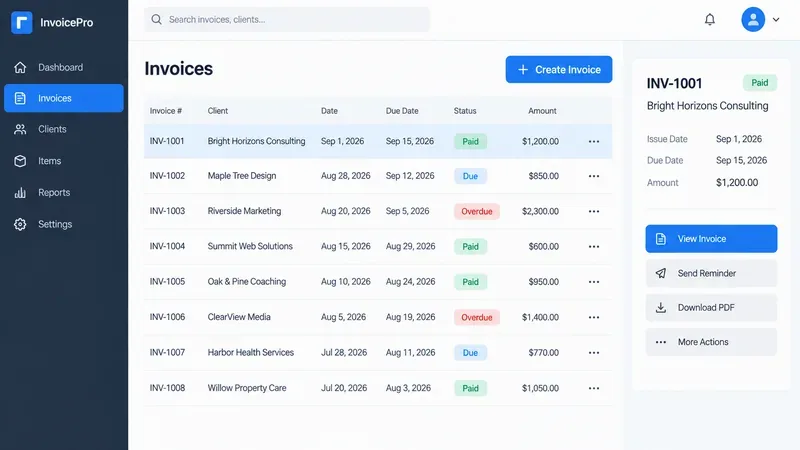
AI-generated illustration of a generic invoicing dashboard for a small service business; it is not a screenshot of any app reviewed here.
Quick comparison: the best free invoicing apps in 2026
Payment processing depends on the gateway you connect; Zoho Invoice also limits an organization to a small number of users
Wave Starter
Invoicing plus basic bookkeeping
Unlimited estimates, invoices, bills, and bookkeeping records
Some automation and bookkeeping conveniences are reserved for Pro
Square Free
Field services and businesses already using Square
Unlimited invoices and recurring invoices, estimates, reminders, payment collection
Square payment processing fees apply when customers pay electronically
PayPal Invoicing
Clients who already trust PayPal or Venmo
Create and send invoices with a PayPal account, payment links, recurring invoices, reminders
Processing fees can be relatively important on larger invoices
Invoice Ninja Free
Very small client lists that need advanced billing tools
Unlimited invoices for up to five clients, recurring billing, time tracking, projects, expenses, client portal
The five-client ceiling is the key constraint
How this comparison was made: features, limits, and U.S. pricing were checked against official vendor pricing and support pages on September 11, 2026. The ranking emphasizes service-business workflows such as estimates, recurring billing, time tracking, reminders, deposits, and online payment options. It is a research-based comparison, not a claim of hands-on benchmark testing.
1. Zoho Invoice: best free invoicing app overall
Choose Zoho Invoice if you want the most complete invoicing workflow without a monthly software bill. Zoho’s U.S. pricing page currently lists Zoho Invoice at $0 and includes invoice creation, PDF/email delivery, online payment options, automated payment reminders, quotes, recurring invoices, expense tracking, project and time tracking, reports, and a customer portal. That combination is particularly useful for consultants, agencies, repair services, and contractors that bill for both time and fixed-price work.
Zoho is also a good fit when you need a quote-to-invoice workflow. You can create an estimate before the job, track time or expenses while the work is in progress, then invoice the customer and follow up with reminders. The free product is not simply a bare invoice generator.
The tradeoff is that “free invoicing” does not mean free card or ACH processing. Zoho connects to payment gateways, and the gateway’s own transaction fees and eligibility rules apply. Team size is another practical limit: Zoho’s U.S. help center says an organization can have up to two users.
2. Wave Starter: best if invoicing and bookkeeping should live together
Wave Starter is the better pick when you want free invoicing plus a basic bookkeeping system in the same product. Wave’s current pricing page lists the Starter plan at $0 and includes unlimited estimates, invoices, bills, and bookkeeping records. For a solo service business that wants one place to track customers, invoices, and books, that is a strong value.
The important distinction is between Wave’s free Starter plan and its paid Pro plan. Starter covers the essentials, while Pro adds conveniences such as automatic bank transaction imports, automatic merging and categorization, receipt capture, and additional invoicing automation. Wave’s current comparison also shows that some branding and reminder features are tied to Pro or to online-payments eligibility.
For U.S. card payments on Starter, Wave currently lists 2.9% + $0.60 for Visa, Mastercard, and Discover transactions, and 3.4% + $0.60 for American Express. ACH bank payments are listed at 1% with a $1 minimum. Those fees matter more than the $0 software price if your typical invoice is small or you process many payments.
3. Square Free: best for service businesses that also take payments in person
Square Free makes the most sense when invoicing is only one part of how you collect money. A cleaner, mobile technician, contractor, photographer, or other field-service provider may need invoices for larger jobs but also card, contactless, or in-person payments. Square keeps those payment workflows in the same ecosystem.
Square’s current U.S. support documentation says businesses can send an unlimited number of digital invoices, estimates, or recurring invoices. Its invoice pricing page also lists automatic payment reminders and real-time invoice status tracking among the available invoicing capabilities. That is a useful free baseline for recurring maintenance work or repeat clients.
The cost appears when the customer pays. On the current Square Free pricing table, online card payments—including invoice payments—are listed at 3.3% + 30¢. ACH bank transfers through an invoice are listed at 1% with a $1 minimum on the free tier. Paid Square plans can lower some processing costs and unlock more advanced invoicing features, so a business with growing payment volume should compare the total monthly cost rather than looking only at the subscription fee.
4. PayPal Invoicing: best when your clients already use PayPal
PayPal Invoicing is a practical choice when payment familiarity is more important than having a full accounting system. PayPal says creating and sending invoices is included with a PayPal account. You can add a business logo, taxes, discounts, shipping details, notes, and payment terms; send invoices through email or shareable links; schedule reminders; and set up recurring invoices.
The current U.S. invoicing page also supports payment choices such as PayPal, Venmo, cards, Apple Pay, Pay Later, and bank payment, although availability can vary. This can reduce friction when your customers already keep money or payment credentials in PayPal.
Because PayPal’s merchant fee page was updated on September 1, 2026, older comparison articles may show stale numbers. The current schedule lists domestic invoicing transaction rates of 3.49% + $0.49 for PayPal Checkout, PayPal Guest Checkout, or Venmo; 2.99% + $0.49 for standard credit/debit card payments and certain wallets; and 1% for Pay by Bank (ACH), capped at $10 per transaction. PayPal also lists a separate optional Invoice Subscription Service at $14.99 per month, but the core invoice creation and sending workflow is still described as included with a PayPal account.
5. Invoice Ninja Free: best for advanced features with five or fewer clients
Invoice Ninja’s free plan is unusually capable, but only if the five-client limit fits your business. Its current pricing page lists unlimited invoicing for up to five clients, four invoice templates, logo branding, online payment gateways, recurring invoices and auto-billing, product management, projects, billable time tracking, vendor and expense tracking, deposits, partial payments, and a client portal.
That can be a great fit for a consultant with three long-term retainers, a small agency with a handful of active accounts, or a specialist whose clients generate many invoices over time. The number of invoices is not the problem; the client count is.
Invoice Ninja’s January 1, 2026 pricing update is also worth noting because the company explicitly stated that the Free plan would remain free with five clients and unlimited invoices. The current pricing page continues to show that structure. Once you need more than five clients, however, the free plan stops being a realistic long-term option.
Which free invoicing app should your service business choose?
If you bill for hours, projects, or retainers
Start with Zoho Invoice. Its free combination of time tracking, projects, recurring invoices, reminders, expenses, and a customer portal is difficult to beat for professional services.
If you want invoicing and bookkeeping in one place
Choose Wave Starter. It is more accounting-oriented than the other options in this list, so it can reduce the need to maintain a separate basic bookkeeping tool while your business is small.
If you work on-site and accept cards in person
Choose Square Free. The advantage is the broader payment ecosystem, not merely the invoice editor. If you already use Square for point-of-sale or contactless payments, adding invoices is a natural extension.
If your customers strongly prefer PayPal or Venmo
Use PayPal Invoicing. It is easy for clients who already know the PayPal checkout experience, but compare its processing costs with ACH or card alternatives before making it your default for every large invoice.
If you have only a handful of recurring clients
Invoice Ninja can give you more advanced billing features than many free tiers, as long as five clients is enough. It is especially attractive for a small retainer-based practice.
What does “free invoicing” actually mean?
A $0 monthly plan can still create real costs. Before committing to an app, check four things:
Payment processing: card and ACH fees are usually charged when the customer pays electronically.
Automation limits: reminders, bank feeds, advanced templates, batch invoicing, or custom fields may require a paid tier.
Client or user limits: a free plan may work perfectly for a solo operator but become restrictive when you add staff or customers.
Accounting depth: an invoice app can track what customers owe without replacing full bookkeeping, payroll, inventory, or tax software.
For federal recordkeeping, the IRS says a business may choose a system suited to its needs as long as it clearly shows income and expenses. The IRS also specifically identifies invoices as supporting business documents that should be kept in an orderly and safe manner. See the IRS small-business recordkeeping guidance.
Sales-tax treatment for services is state-specific, so do not assume that an invoicing app automatically makes every invoice tax-compliant in every state. Confirm the rules that apply to the states where your business has filing obligations, especially if you sell a mix of services and taxable products.
Bottom line
For a typical U.S. small service business in 2026, Zoho Invoice is the best free starting point because it covers the complete service workflow without forcing you into a paid subscription for core invoicing, estimates, recurring billing, time tracking, projects, reminders, and a customer portal.
Wave Starter is the better alternative when bookkeeping matters as much as invoicing. Square Free wins when your business mixes invoices with in-person payments. PayPal Invoicing is convenient for PayPal-first customers, and Invoice Ninja is an excellent feature-rich option if you can live with its five-client limit.
Whichever app you choose, compare the total cost of getting paid—not just the monthly subscription. For many service businesses, transaction fees and workflow limitations will matter more over a year than whether the invoicing software itself starts at $0.